Client workspaces for agencies
Run AI receptionists for your clients from one Ladoo Agency account: a workspace per client, one switcher, and shared minutes on one bill.
If you set up phone agents for other businesses, the Agency plan gives each client its own client workspace, all run from your agency account and paid on one bill.
What a client workspace is
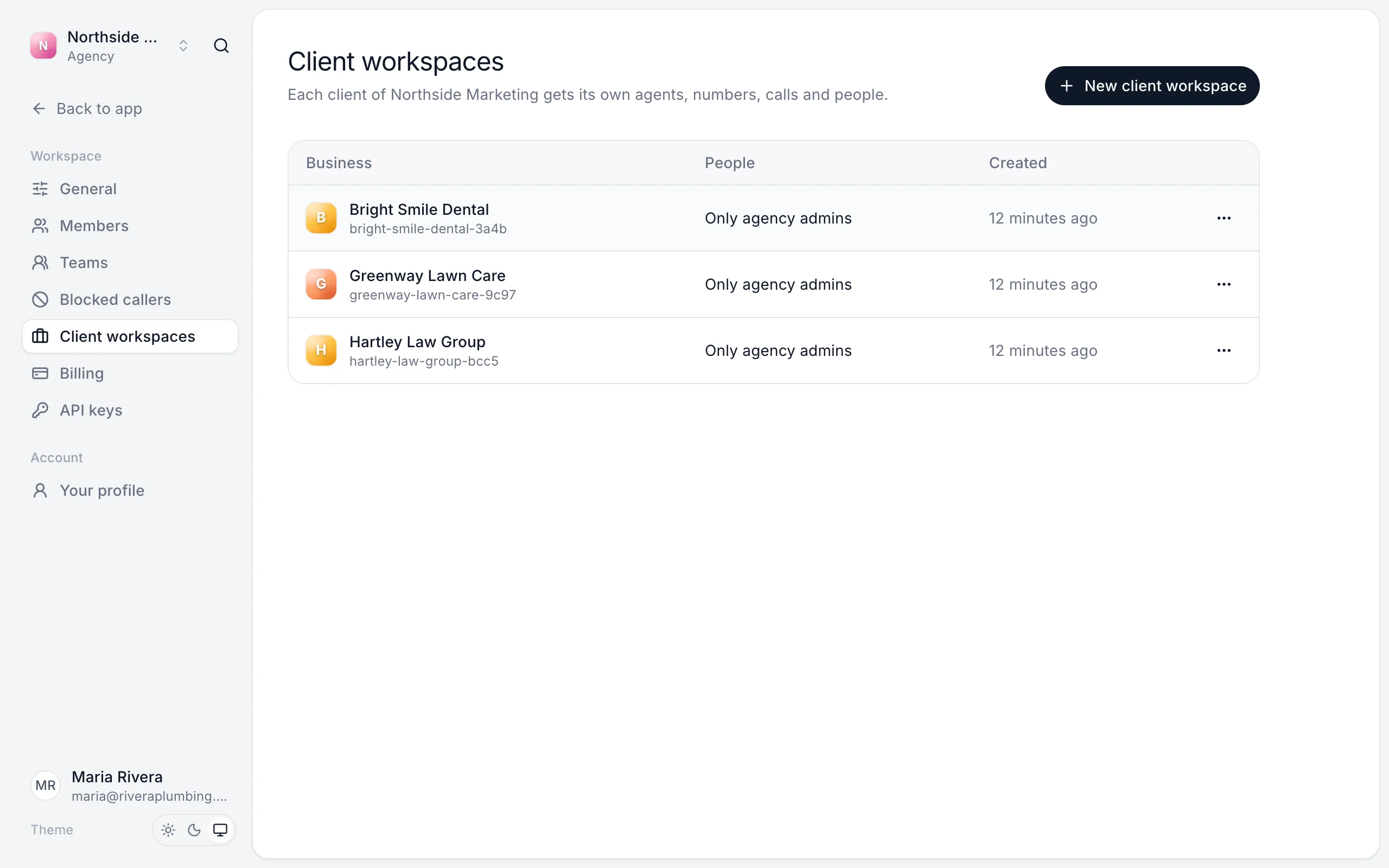
Each client gets its own agents, phone numbers, calls and people, kept separate from your other clients. Your agency's owners and admins can open every client workspace, as admins. The client's own staff only see their own workspace.
Your agency workspace pays for all of them. Call minutes, chats and limits are shared across your clients.
Set up an agency
- Click the workspace name at the top left and start a new workspace of your own.
- Choose An agency and give it your agency's name.
- Go to Settings → Billing and choose the Agency plan.
Add a client
- In your agency workspace, go to Settings → Client workspaces.
- Click New client workspace.
- Enter the client's Business name and click Create workspace.
Then open it and set it up like any workspace: create an agent, teach it about the business and give it a number.
Switch between clients
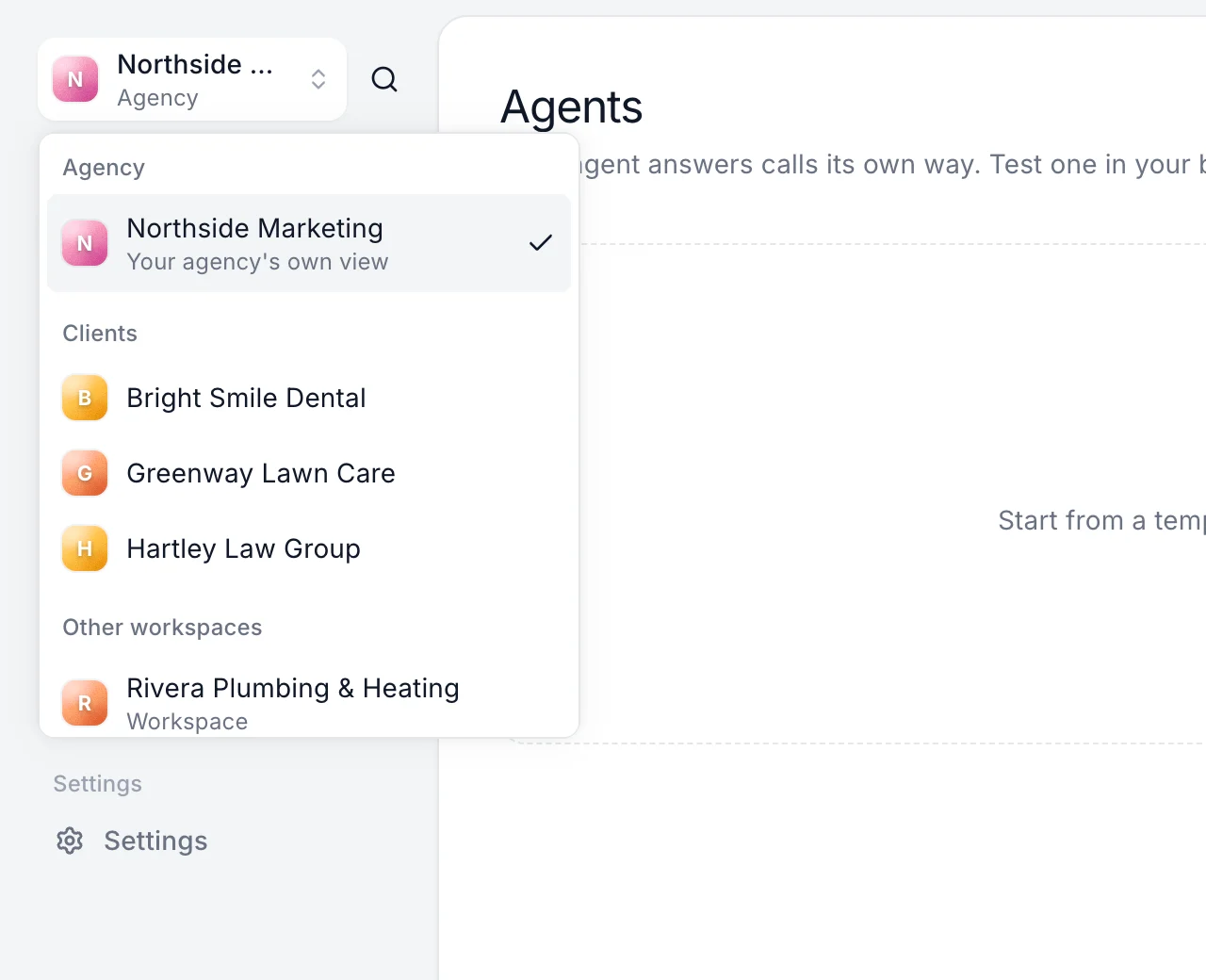
Click the workspace name at the top left. Your agency and its clients are listed together.
Give the client access
Inside the client workspace, go to Settings → Members and invite the client's team. Give office staff the Viewer role so they can see calls without using a seat. See Invite your team.
Archive a client
From the ⋯ menu next to a client, choose Archive. No one can open it, including its own members, until it's restored. Nothing is deleted, and you can restore it any time.
Limits
The Agency plan includes up to 50 client workspaces, 100 phone numbers and 4,000 call minutes a month, shared. See Plans and pricing.
Still stuck?
Ask our support agent (it runs on Ladoo), or email the team.