Choose what your agent asks callers
Set the details your Ladoo agent collects on every call, like name, callback number and address, and add custom fields for anything else your team needs.
Fields are the details your agent gets from each caller. They appear on every call in Calls, so whoever calls back has what they need. The agent also notes the reason for the call and how urgent it is.
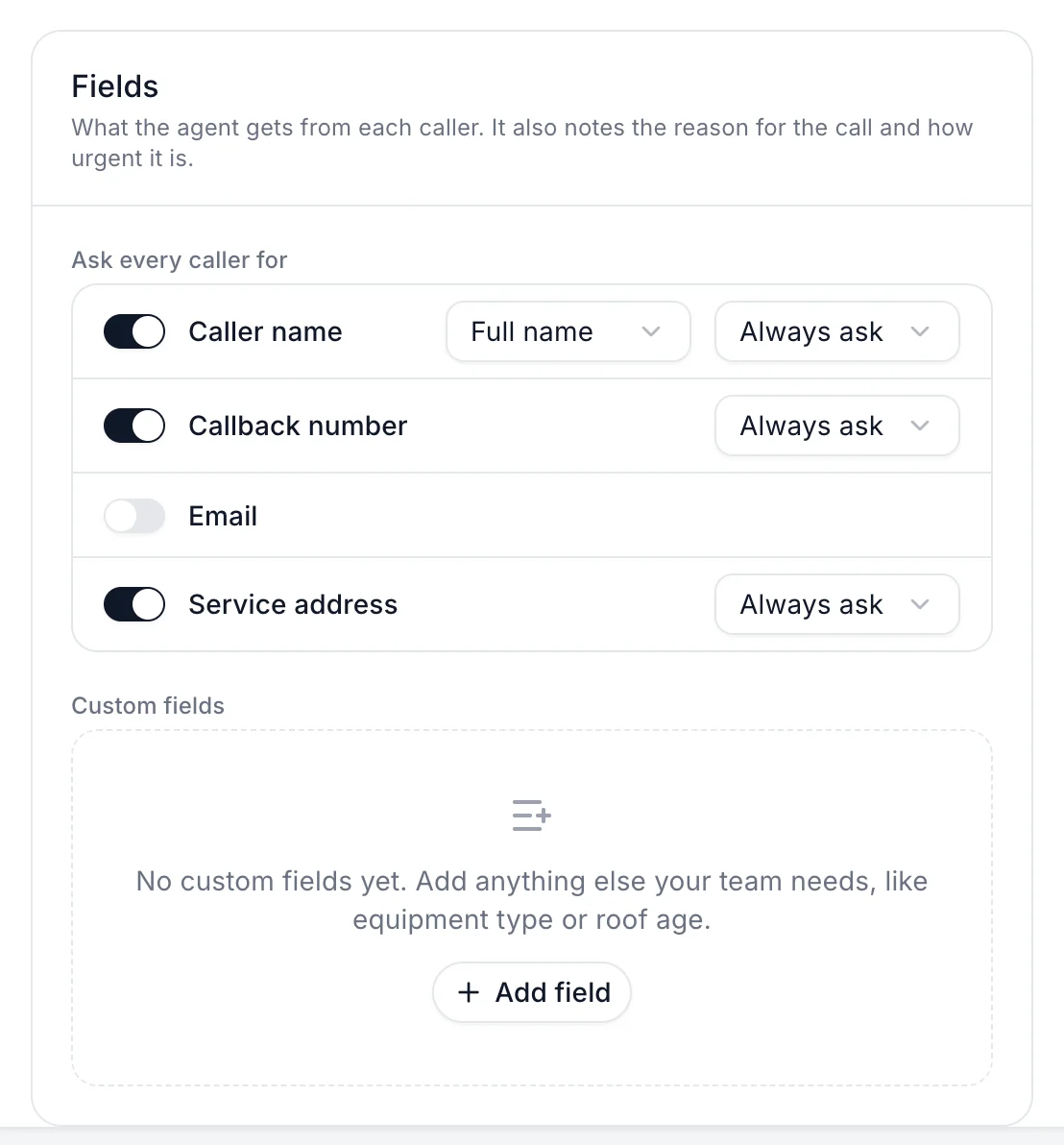
Standard fields
Under Ask every caller for, switch on what you need:
- Caller name: choose full name or first name.
- Callback number
- Service address
For each one, choose when the agent asks for it, like Always ask.
Custom fields
Add anything else your team needs, like equipment type, roof age or how they heard about you.
- Under Custom fields, click Add field.
- Name it and choose its type, like text, yes or no, or a list of choices.
- Publish.
Where fields show up
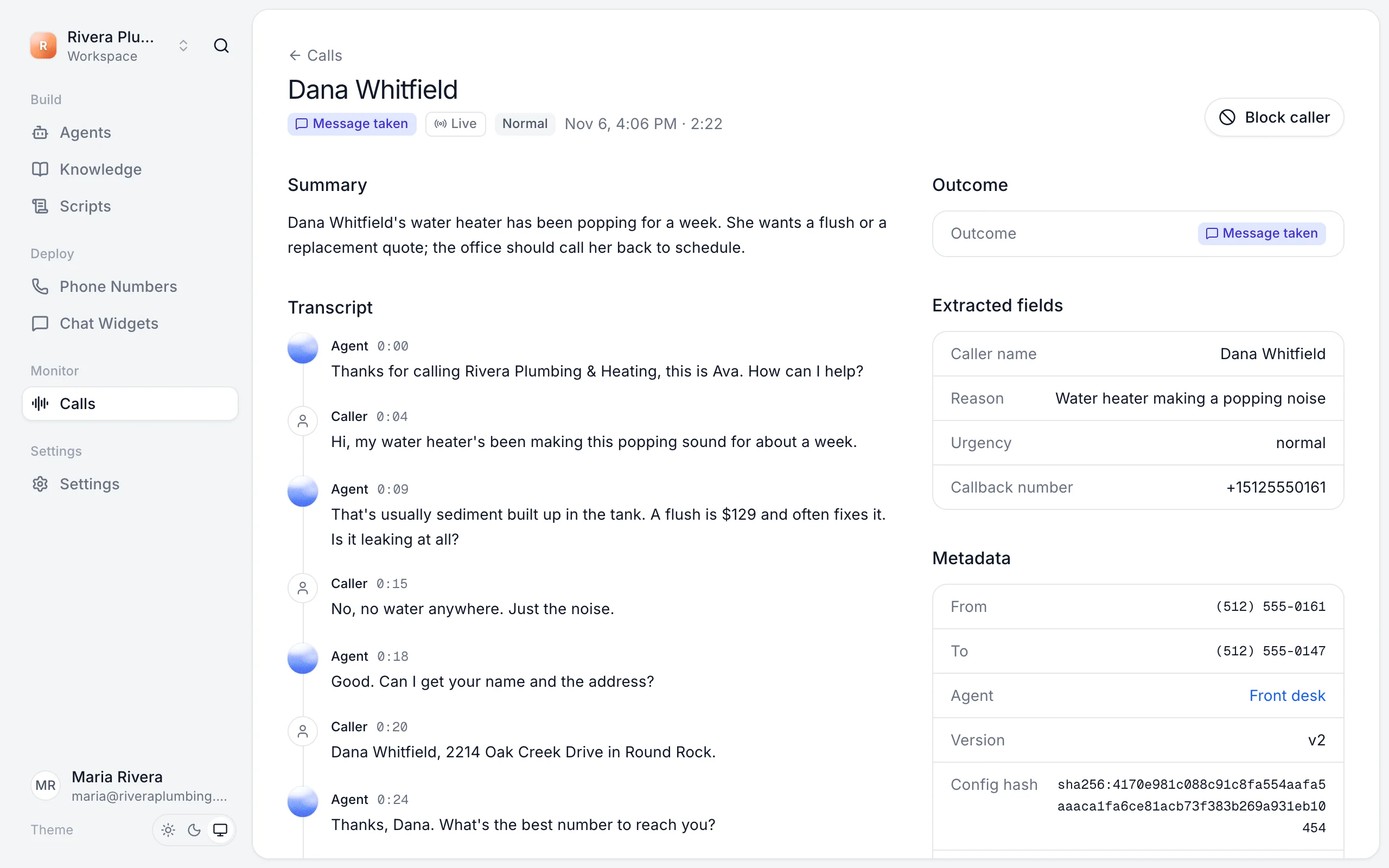
Open any call in Calls. The Extracted fields box lists what the agent collected, with a dash for anything the caller didn't give.
To ask for some details only in part of a call, like an address only when booking a visit, use a Collect info step in the workflow.
Still stuck?
Ask our support agent (it runs on Ladoo), or email the team.