Teams and on-call rotations
Group people into Ladoo teams like Office or On-call, choose who's on call and in what order, and rotate on-call each week for call transfers.
Teams group people by what they handle, like Office or On-call. Your agent can transfer callers to whoever is on call in a team. See Transfer calls to your team.
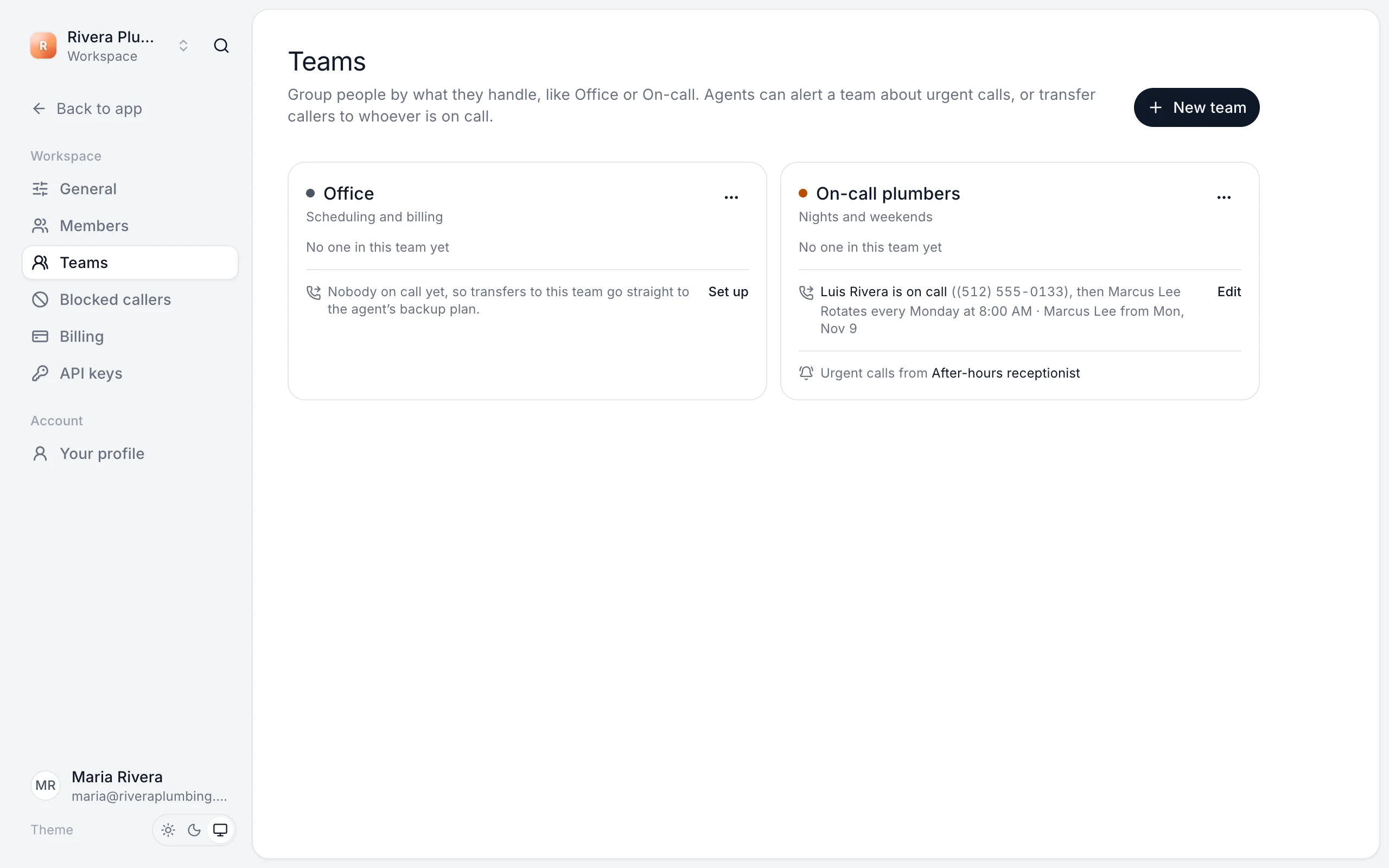
Create a team
- Go to Settings → Teams and click New team.
- Give it a name, like "On-call plumbers", a short description and a color.
- Click Create team.
Set who's on call
- Click the ⋯ next to the team and choose Who's on call.
- Under People to ring, in order, add each person and the phone they'll answer. Use the arrows to change the order.
- Set Ring each phone for. Most phones go to voicemail after about 25 seconds, so 20 seconds is a good default.
- Click Save.
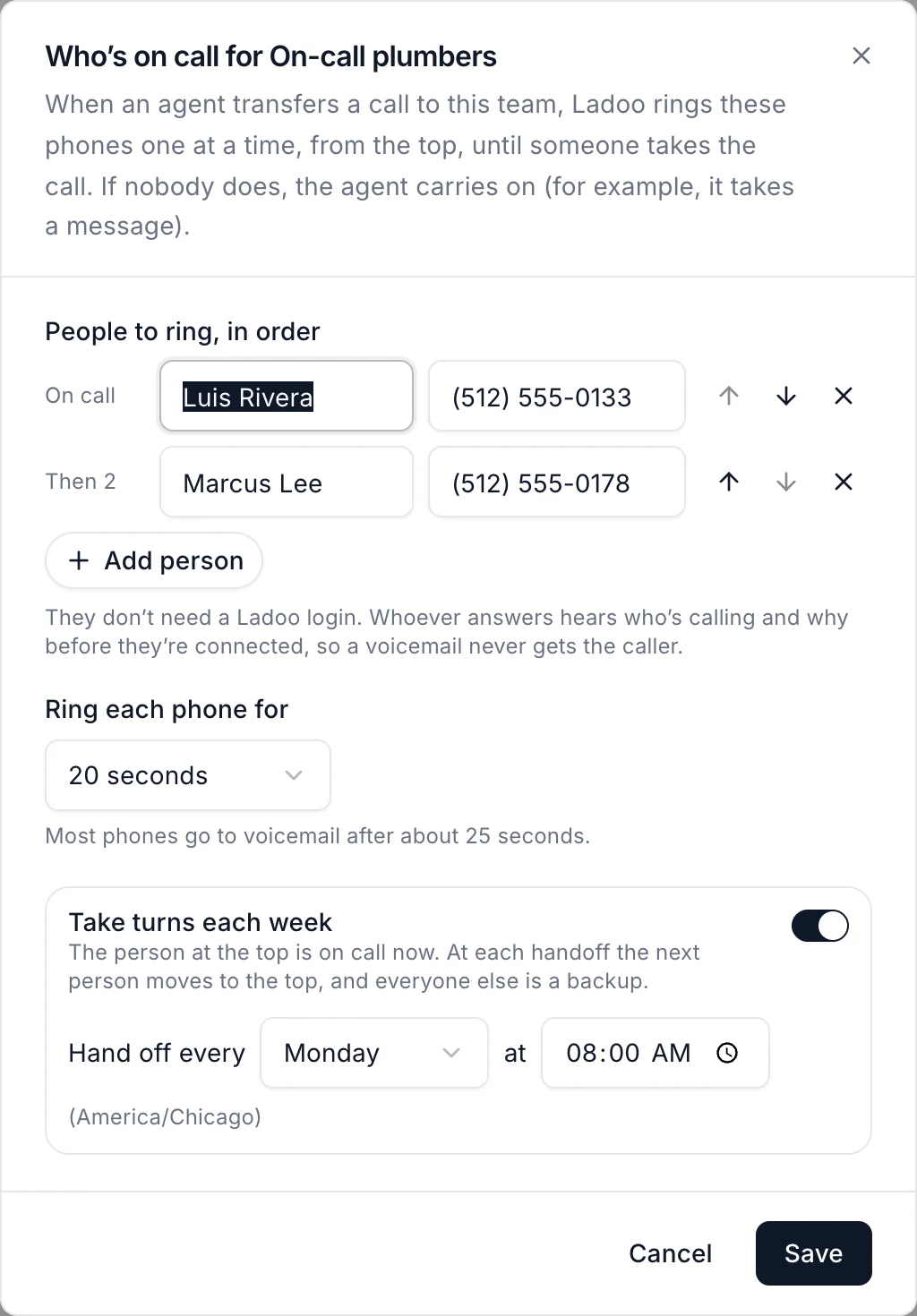
When the agent transfers a call to this team, Ladoo rings these phones one at a time, from the top, until someone takes the call. If nobody does, the agent carries on, for example by taking a message.
The people you add don't need a Ladoo login. Whoever answers hears who's calling and why before they're connected, so a voicemail never gets the caller.
Take turns each week
Switch on Take turns each week to rotate who's on call. The person at the top is on call now. At each handoff, the next person moves to the top and everyone else is a backup. Choose the day and time of the handoff.
Still stuck?
Ask our support agent (it runs on Ladoo), or email the team.