Review calls and chats
See every call and website chat your Ladoo agent handled: summaries, full transcripts, the details it collected, and what happened on each call.
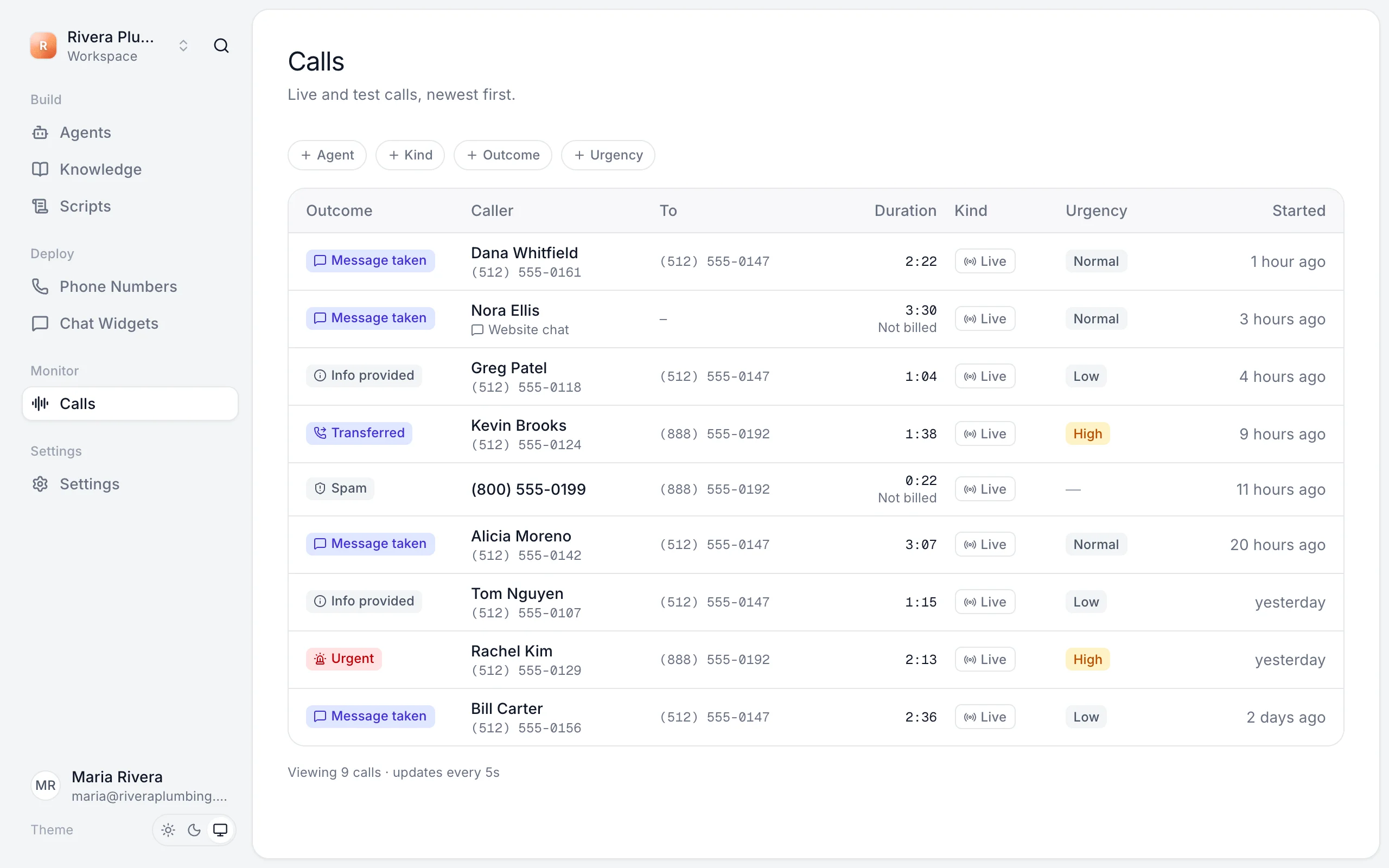
Calls lists every phone call, website chat and test session, newest first. It updates by itself while you watch.
Filter the list
Use the filters above the list: Agent, Kind (live or test), Outcome and Urgency.
Outcomes
| Outcome | Meaning |
|---|---|
| Message taken | The agent took a message for your team. |
| Info provided | The caller got an answer and didn't need anything else. |
| Transferred | The agent put the caller through to a person. |
| Urgent | The agent flagged the call as urgent. |
| Spam | A robocall, telemarketer or sales pitch. |
| Blocked | The number is on your blocked list, so the call ended before the agent answered. |
A call's details
Click a call to open it.
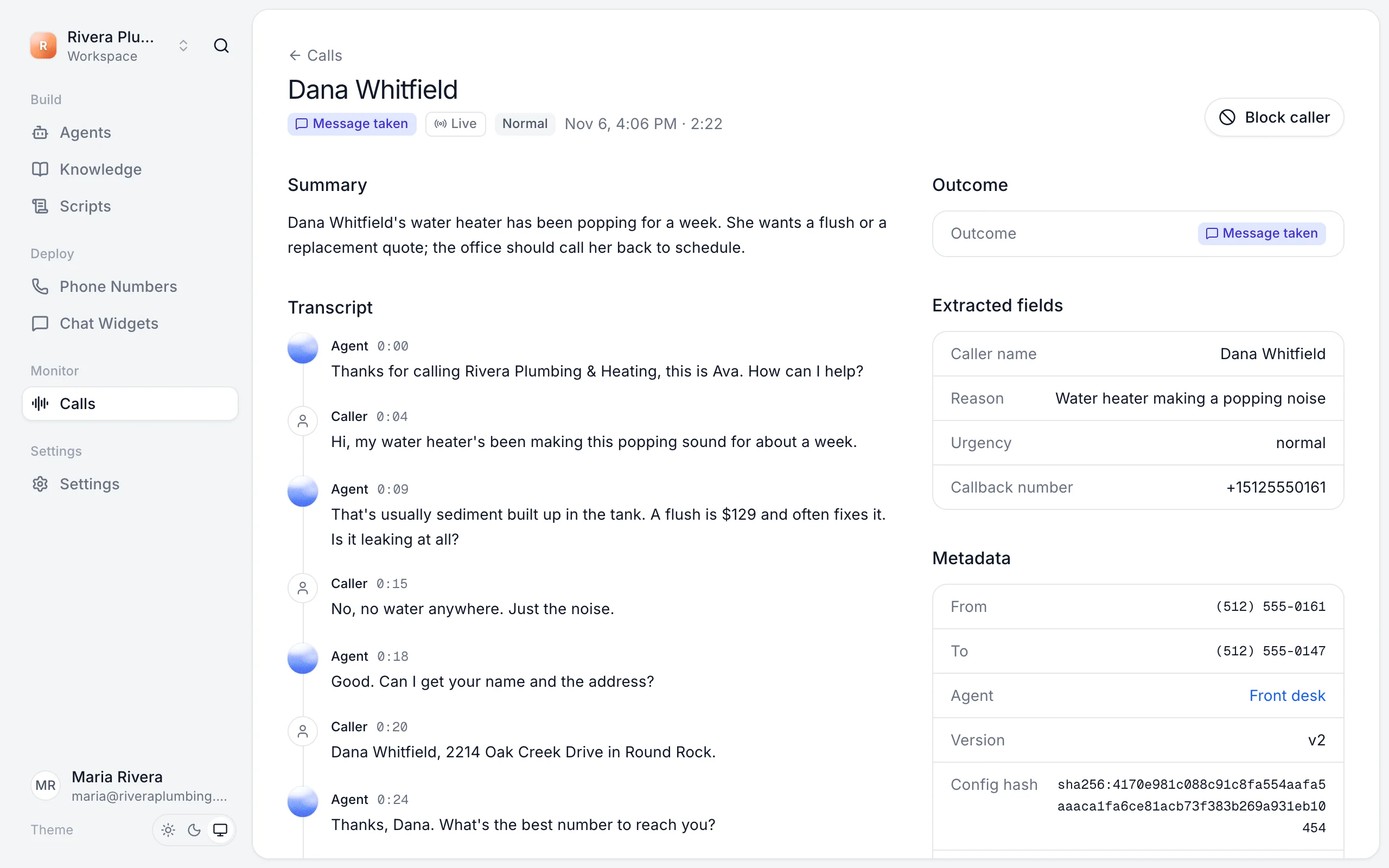
- Summary: what the call was about and what happens next.
- Transcript: everything said, with times. Under an agent's line, click Suggest a better answer to fix it.
- Outcome: how the call ended.
- Extracted fields: the details the agent collected, like name, callback number and address. See Choose what your agent asks callers.
- Metadata: who called, which number they called, which agent and version answered.
Act on a call
- Call back the number in Callback number.
- Fix a wrong answer with Suggest a better answer. See Improve answers from calls.
- Stop a nuisance caller with Block caller. See Block callers and spam.
Still stuck?
Ask our support agent (it runs on Ladoo), or email the team.