Create your Ladoo account
Sign up for Ladoo with your work email. No password and no card needed to start building and testing an agent.
You can build and test an agent for free. You only need a paid plan to take real phone calls or website chats.
Sign up
- Go to app.tryladoo.com/sign-up.
- Enter your work email and click Agree and create account.
- Open the email from Ladoo and click the link. It signs you in.
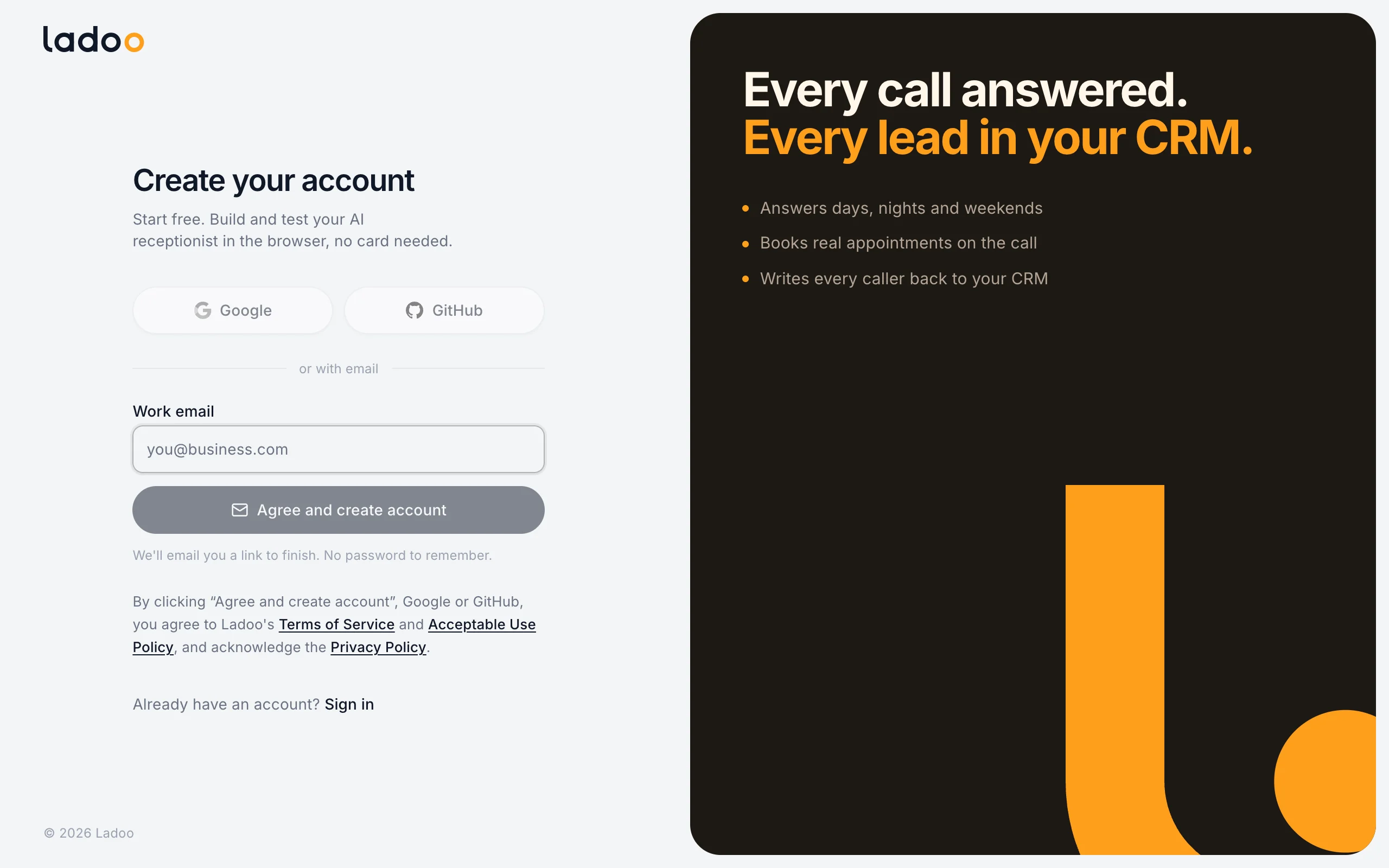
There's no password to remember. Next time, go to Sign in, enter the same email and we'll send a new link.
Your workspace
Your account comes with a workspace: the place your agents, phone numbers, calls and team live. Its name shows at the top left of the dashboard. You can rename it in Settings → General. See Workspace and profile settings.
If someone invited you to their workspace, use the link in their invitation instead. You'll join their workspace with the role they chose. See Invite your team.
What the Free plan includes
- 20 Build with AI messages
- 30 minutes of test calls in your browser
- Every workflow and agent feature
Real phone calls, phone numbers and website chat start on paid plans. Compare them in Plans and pricing.
Still stuck?
Ask our support agent (it runs on Ladoo), or email the team.