Invite your team and set roles
Invite people to your Ladoo workspace by email and choose what each can do: Owner, Admin, Editor or Viewer. Viewers are free.
Invite the people who follow up on calls or look after your agents. They sign in with their own email, no shared passwords.
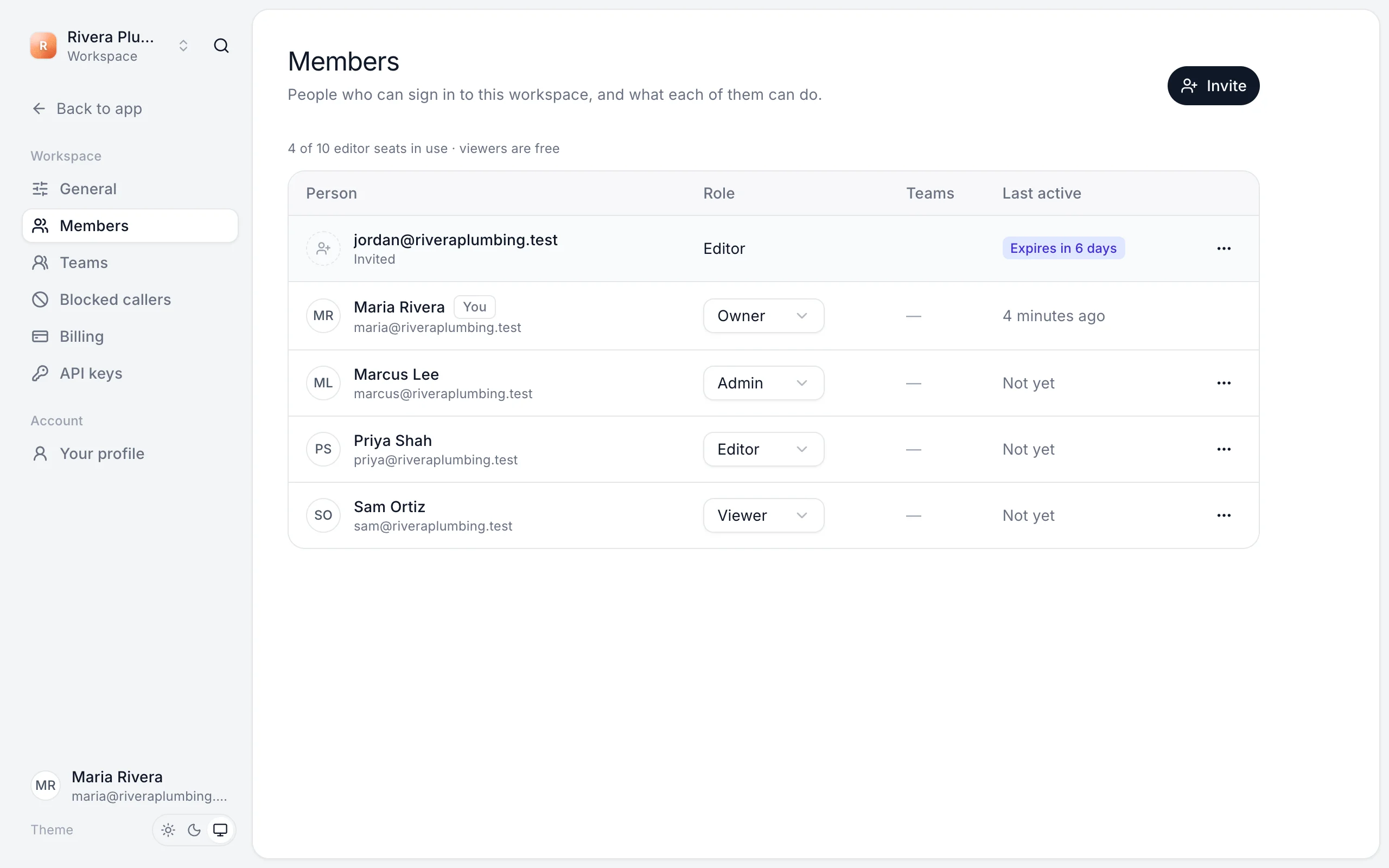
Invite someone
- Go to Settings → Members and click Invite.
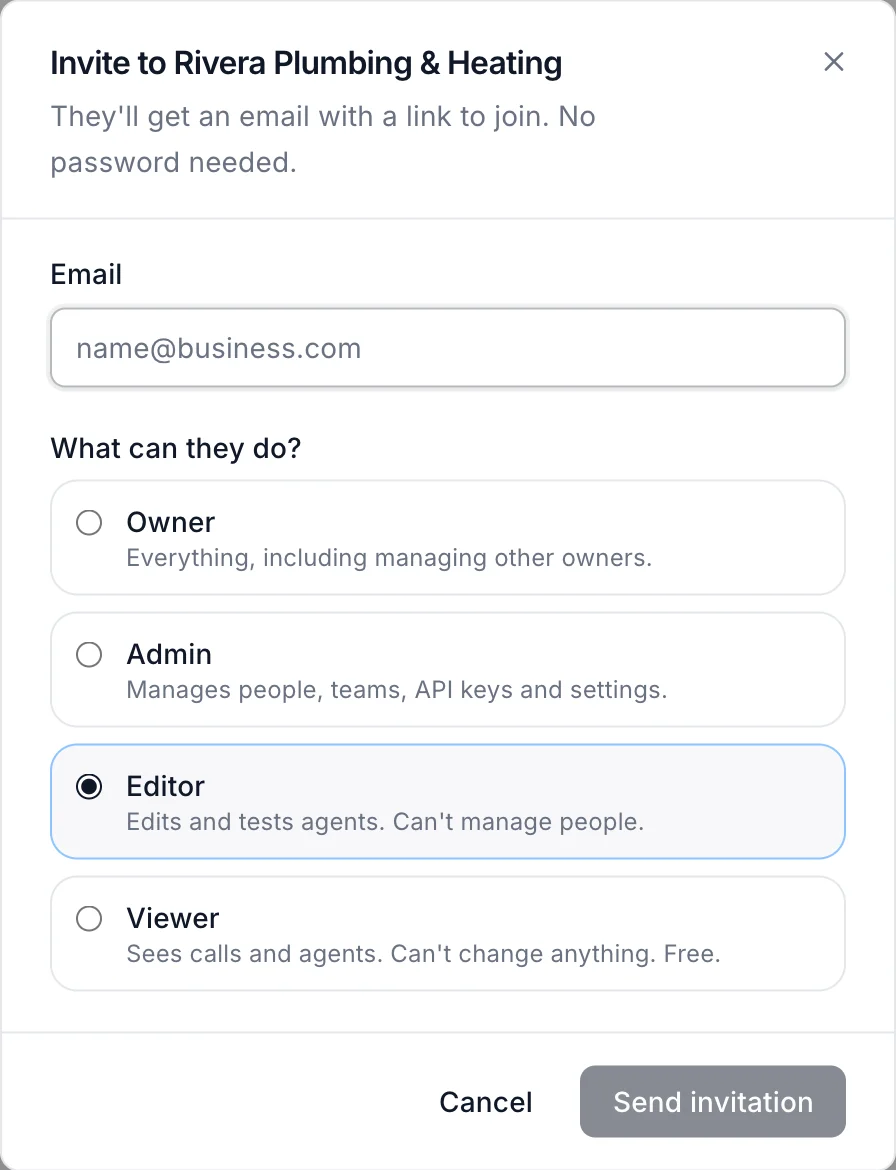
- Enter their Email.
- Choose What can they do? (see below).
- Click Send invitation.
Invitations expire after 7 days. Pending invitations show on the Members page until they're accepted.
Roles
| Role | Can |
|---|---|
| Owner | Everything, including managing other owners. |
| Admin | Manages people, teams, billing, API keys and settings. |
| Editor | Edits and tests agents. Can't manage people. |
| Viewer | Sees calls and agents. Can't change anything. Free. |
Change someone's role from the menu next to their name, or remove them from the ⋯ menu.
Editor seats
Owners, admins and editors use an editor seat. Viewers are free and unlimited.
| Plan | Editor seats |
|---|---|
| Free | 2 |
| Starter | 3 |
| Pro | 10 |
| Agency | 25 |
Still stuck?
Ask our support agent (it runs on Ladoo), or email the team.