Test your agent in the browser
Talk to or chat with your Ladoo agent before customers do. Test calls run the published version and use your plan's test minutes, not call minutes.
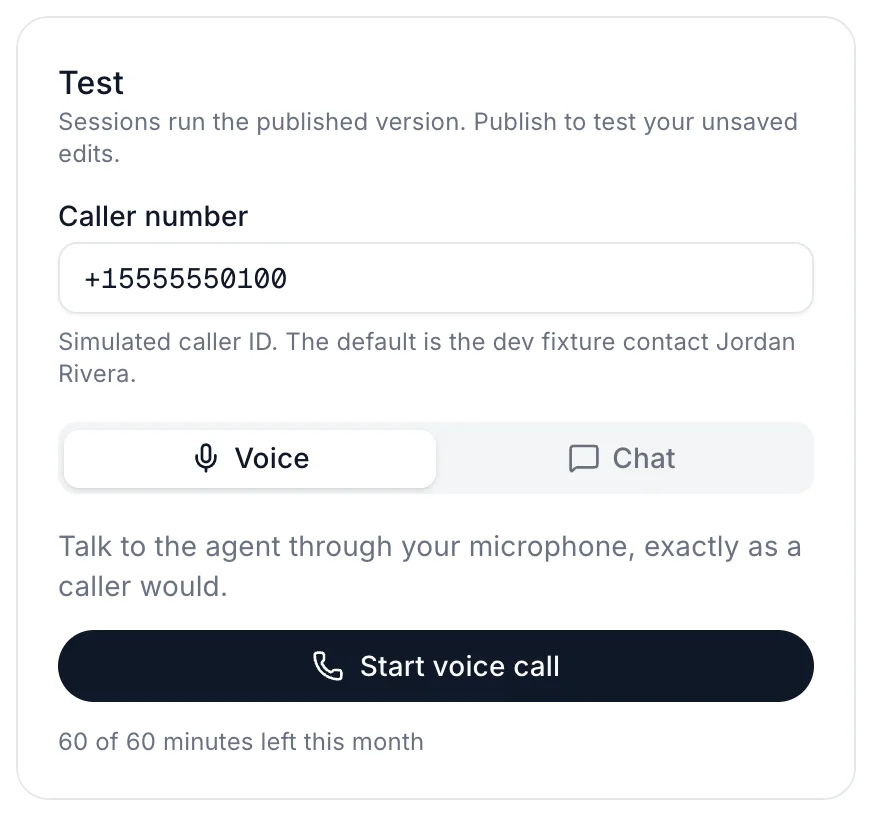
Every agent has a Test panel on the right of its page. It runs the same agent your callers reach, so it's the quickest way to hear what they'll hear.
Run a test
- Open Agents and click your agent.
- In the Test panel, choose Voice or Chat.
- Click Start voice call (your browser asks for the microphone the first time) or Start chat.
- Talk or type as a caller would. Click End session when you're done.
Test what you just changed
Tests run the published version. If you've edited the agent, the panel tells you to publish first. Click Save & publish, then start a new test. See Publish changes and version history.
What to try
- The three questions you get most often.
- A question your knowledge base doesn't answer. A good agent says it doesn't know and offers to take a message.
- Someone who wants a person. If you set up a transfer, check it goes to the right place.
- An urgent problem, like a burst pipe or no heat, if you handle emergencies.
Test minutes
Test calls use your plan's test minutes, never your call minutes. The panel shows how many are left.
| Plan | Test minutes |
|---|---|
| Free | 30 in total |
| Starter | 30 a month |
| Pro | 60 a month |
| Agency | 300 a month |
Still stuck?
Ask our support agent (it runs on Ladoo), or email the team.