Improve answers from real calls
Fix a wrong or weak answer straight from a Ladoo call transcript. Your fix is saved to a knowledge base and used on every future call.
Real calls show what your agent gets wrong. When you spot a weak answer in a transcript, you can teach the agent the right one in a few seconds.
Suggest a better answer
- Open a call in Calls.
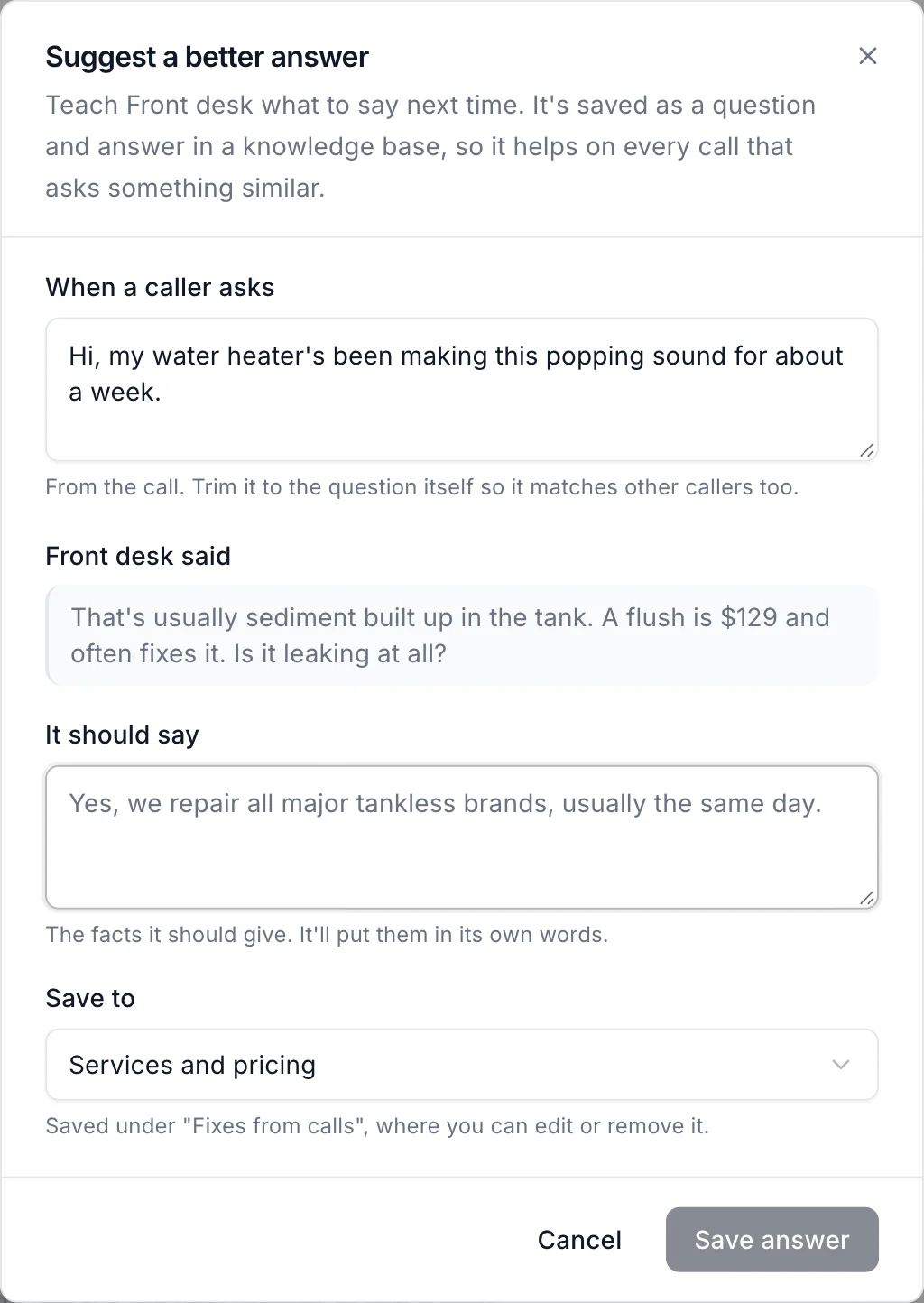
- In Transcript, find the agent's line and click Suggest a better answer under it.
- Check When a caller asks. Trim it to the question itself so it matches other callers too.
- In It should say, write the facts the agent should give. It'll put them in its own words.
- Under Save to, choose a knowledge base.
- Click Save answer.
The fix works on the next call. No publish needed.
Where fixes go
Each fix is saved as a question and answer under Fixes from calls in the knowledge base you chose, where you can edit or remove it later. See Teach your agent about your business.
When it's not a knowledge problem
If the agent asked the wrong questions, or went the wrong way in the call, change the prompt or the workflow instead.
Still stuck?
Ask our support agent (it runs on Ladoo), or email the team.