Use call scripts
Give your Ladoo agent a call script: what to ask, in what order, and lines it must say word for word, like a greeting or a legal disclosure.
A call script tells your agent how a call should go, in your own words. It's useful when you already have a script your staff follows, or lines that must be said exactly.
Add a script
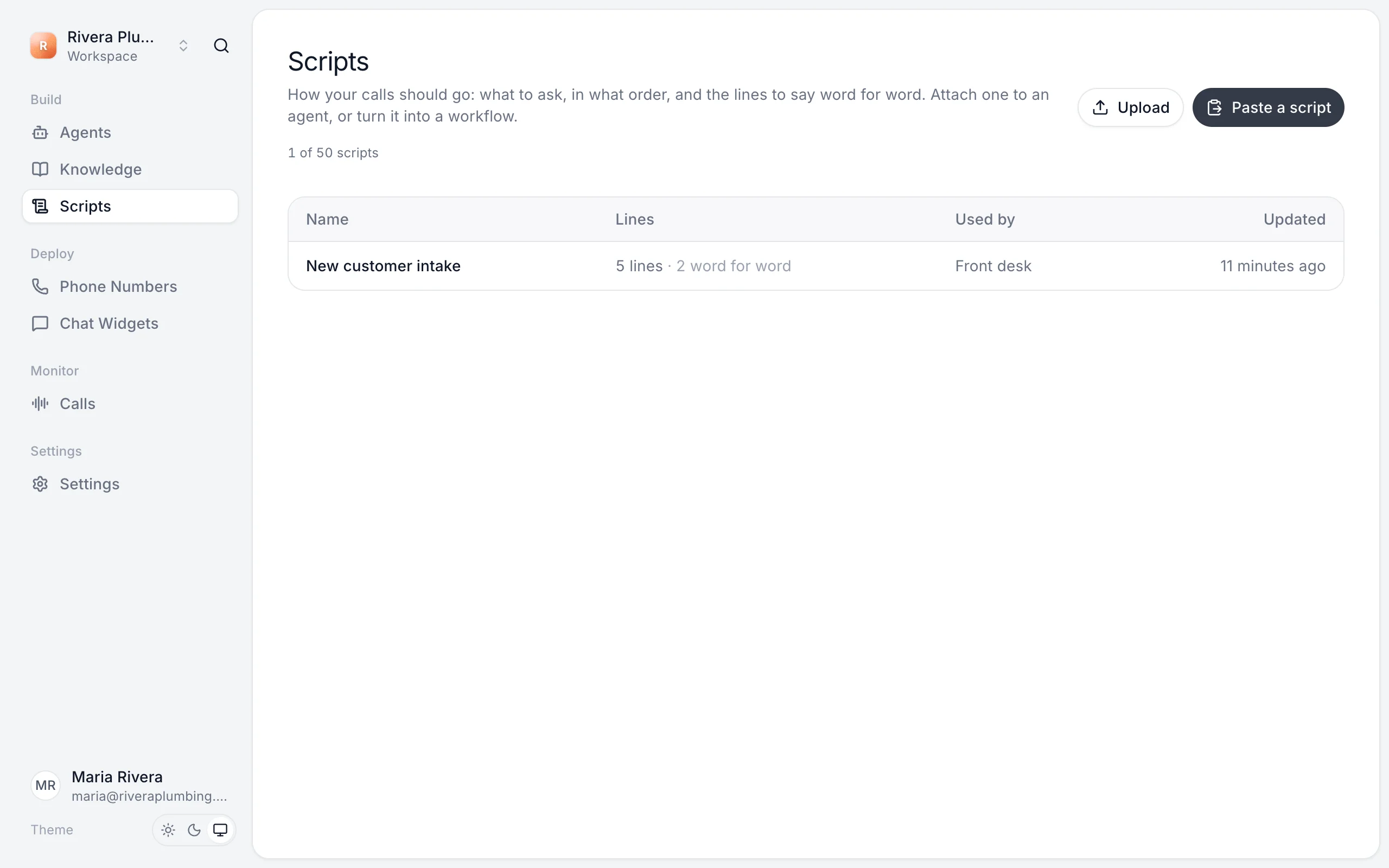
- Open Scripts.
- Click Paste a script to type or paste it, or Upload to add a file.
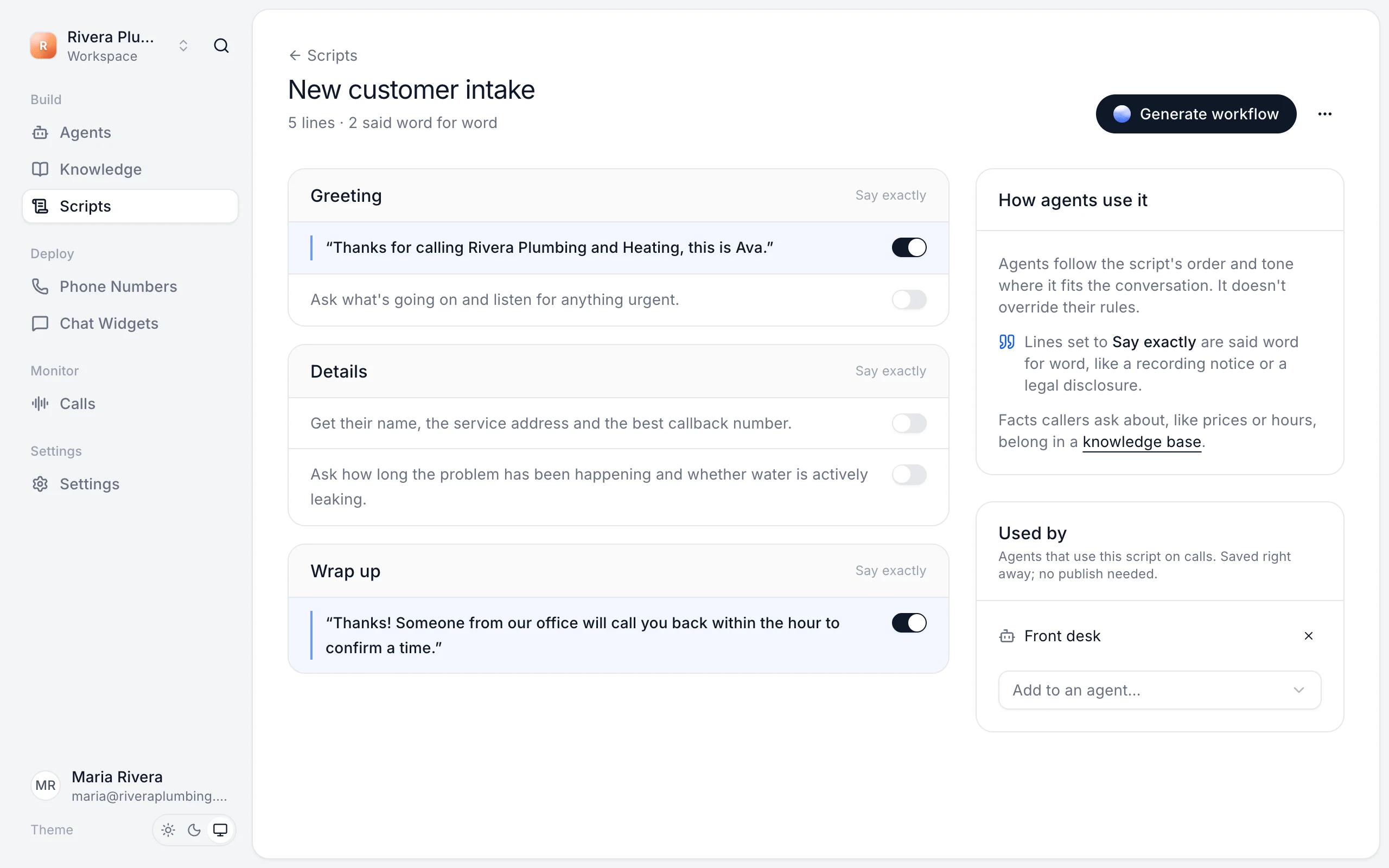
- Ladoo splits it into sections and lines, like a greeting, the details to collect and a wrap up.
Say exactly
Switch on Say exactly for any line the agent must say word for word, like a recording notice or a legal disclosure. Other lines guide the agent, which says them in its own words.
Attach it to an agent
Under Used by, choose Add to an agent…. Or attach it on the agent's Knowledge tab under Call scripts. Changes apply right away, with no publish needed.
Agents follow the script's order and tone. A script doesn't override the agent's rules. Facts callers ask about, like prices or hours, belong in a knowledge base, not a script.
Turn a script into a workflow
Click Generate workflow on the script to build the agent's workflow from it with AI. Review the steps before you publish.
Still stuck?
Ask our support agent (it runs on Ladoo), or email the team.