Customize your chat widget
Change your Ladoo chat widget's title, greeting, color, position and button label, switch the agent that answers, or pause chats.
Open Chat Widgets and click a widget to change how it looks and who answers. A live preview on the right shows your changes. Chats in the preview are tests and use test minutes.
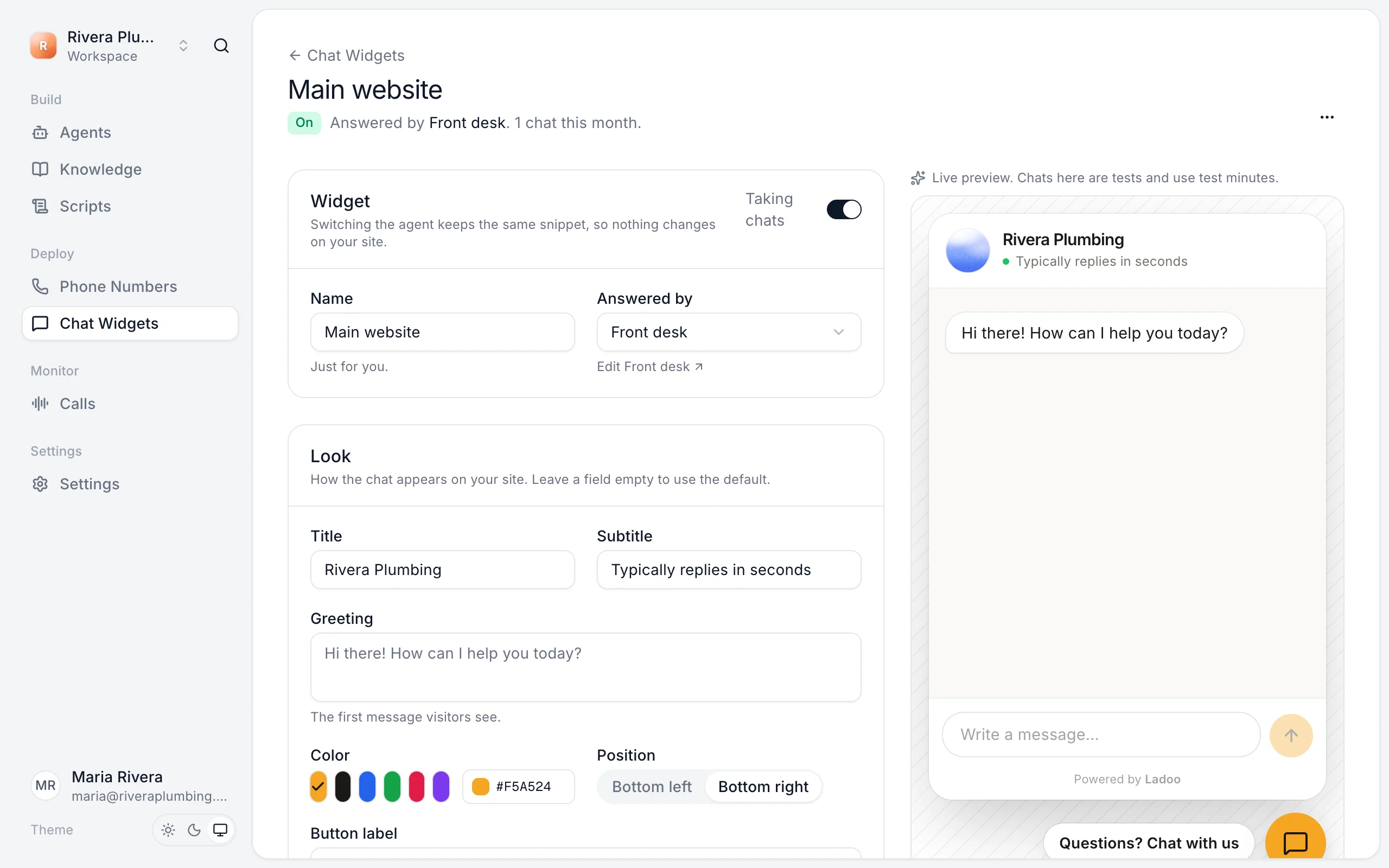
Look
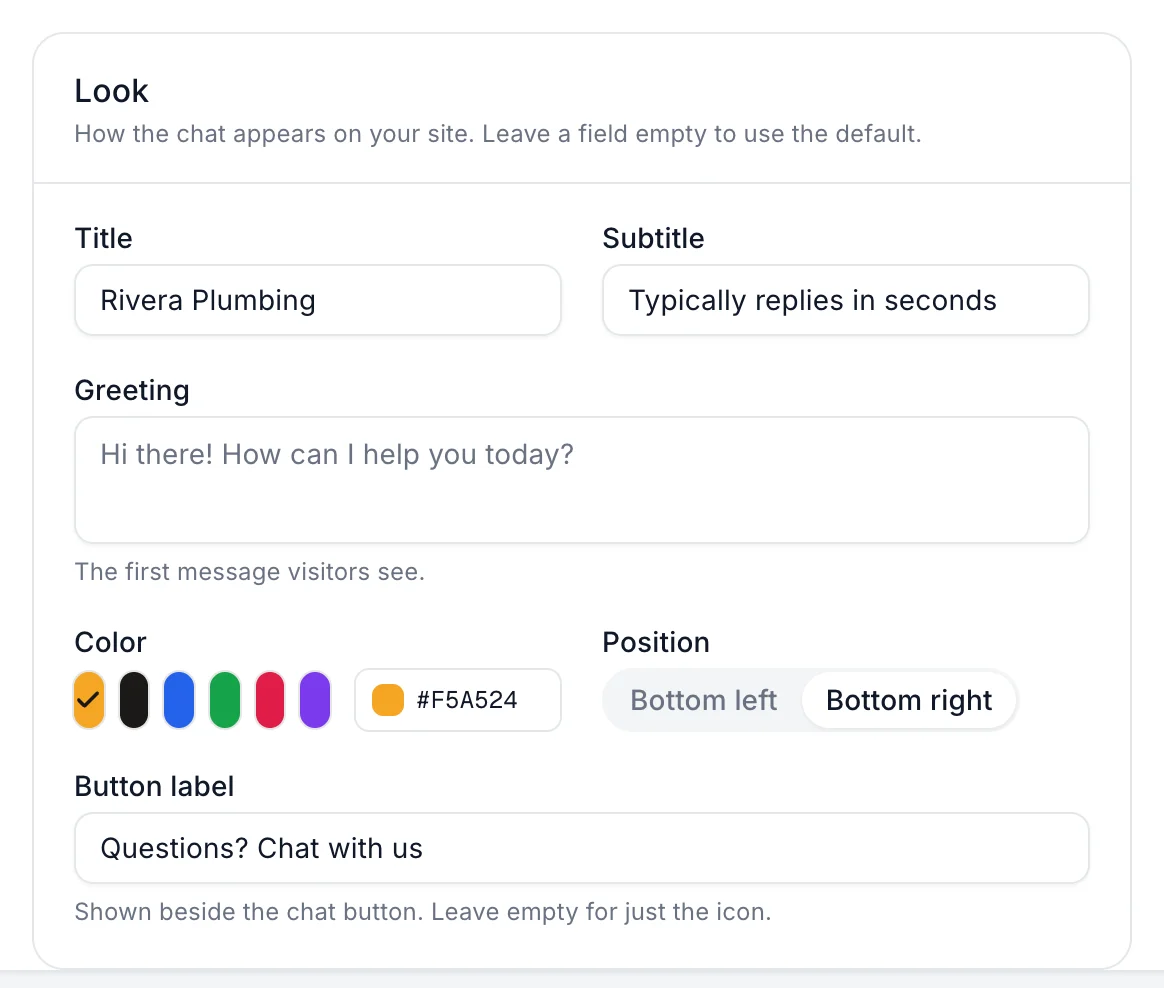
- Title: shown at the top of the chat, usually your business name.
- Subtitle: a line under the title, like "Typically replies in seconds".
- Greeting: the first message visitors see.
- Color: pick one, or enter your brand's color code.
- Position: Bottom left or Bottom right.
- Button label: shown beside the chat button, like "Questions? Chat with us". Leave it empty for just the icon.
Leave a field empty to use the default. Click Save changes. Your website picks them up without changing the code.
Change the agent
Under Widget, choose another agent in Answered by. The snippet on your site stays the same.
Pause chats
Switch off Taking chats to hide the chat without removing the code. Switch it back on when you're ready.
More than one site
Create a widget for each website, or list several sites under Websites on one widget. Separate widgets let each site have its own look and agent, and show their own conversation counts.
Open the chat from your own button
The chat script adds window.Ladoo to your page. Call window.Ladoo.open() from a link or button, like "Chat with us" in your menu, to open it. close() and toggle() work too.
Still stuck?
Ask our support agent (it runs on Ladoo), or email the team.