Teach your agent about your business
Give your Ladoo agent your prices, hours, services and FAQs with a knowledge base. Add your website, files, text or questions and answers.
Your agent answers callers from its knowledge bases: collections of facts like prices, service area, hours and common questions. It only uses what you give it, so it won't make up a price.
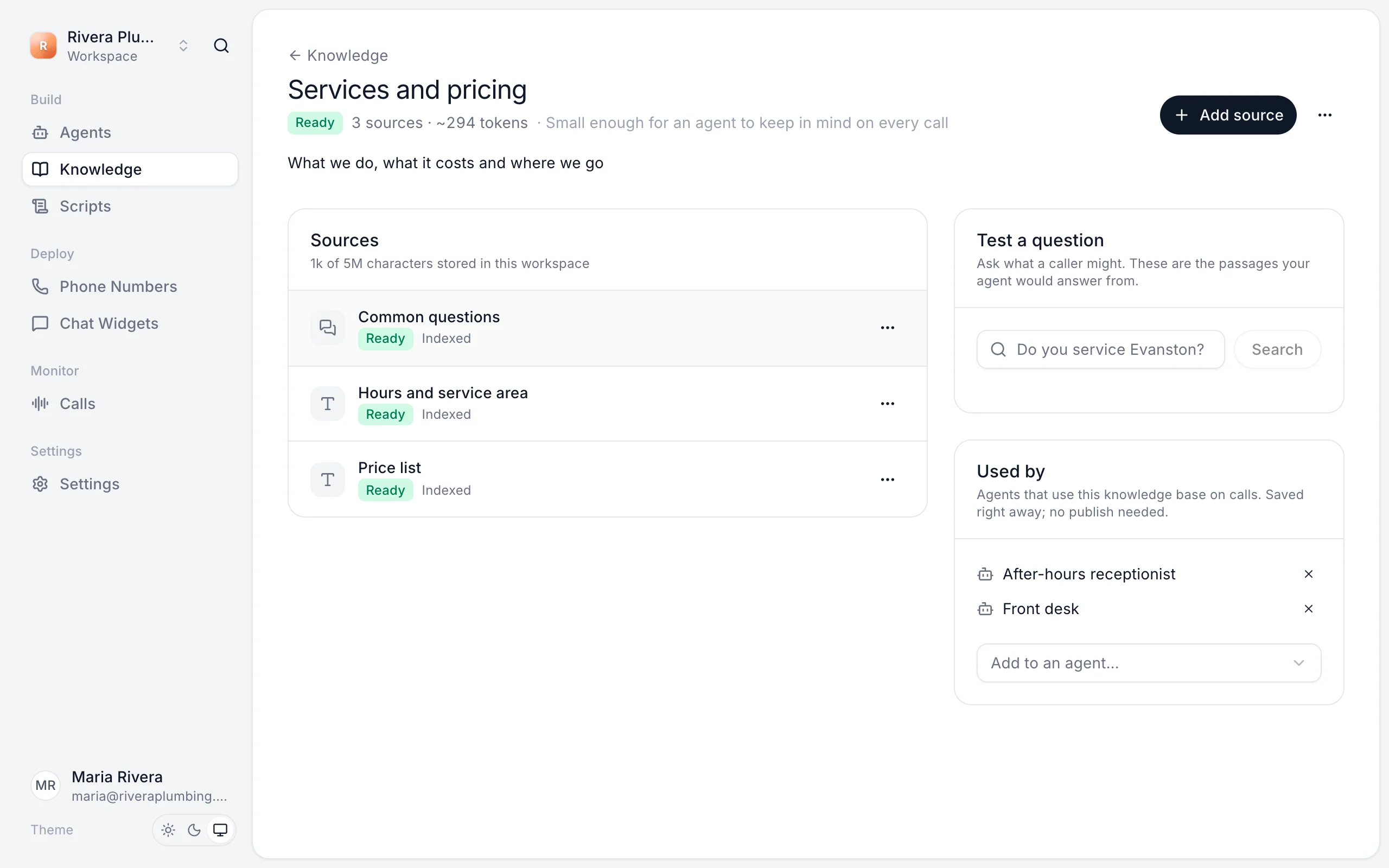
Create a knowledge base
- Open Knowledge and click New knowledge base.
- Give it a name, like "Services and pricing".
- Click Add source and pick a type.
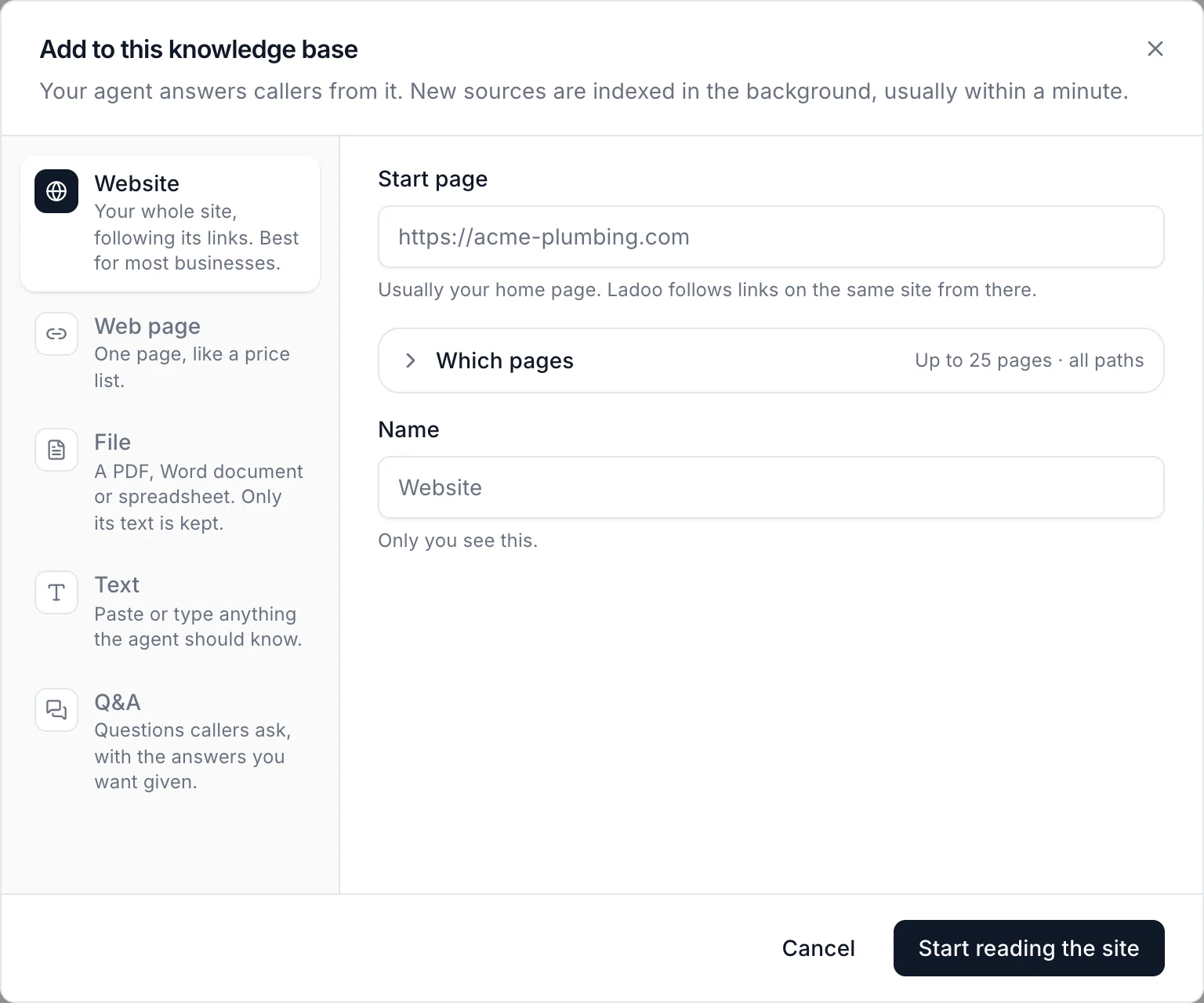
| Source | Best for |
|---|---|
| Website | Your whole site. Ladoo follows links from the start page. Best for most businesses. |
| Web page | One page, like a price list. |
| File | A PDF, Word document or spreadsheet. Only its text is kept. |
| Text | Paste or type anything the agent should know. |
| Q&A | Questions callers ask, with the answers you want given. |
New sources are read in the background, usually within a minute. They show Ready when the agent can use them.
Attach it to an agent
A knowledge base does nothing until an agent uses it. Either:
- On the knowledge base page, under Used by, choose Add to an agent…, or
- On the agent's Knowledge tab, choose Attach a knowledge base…
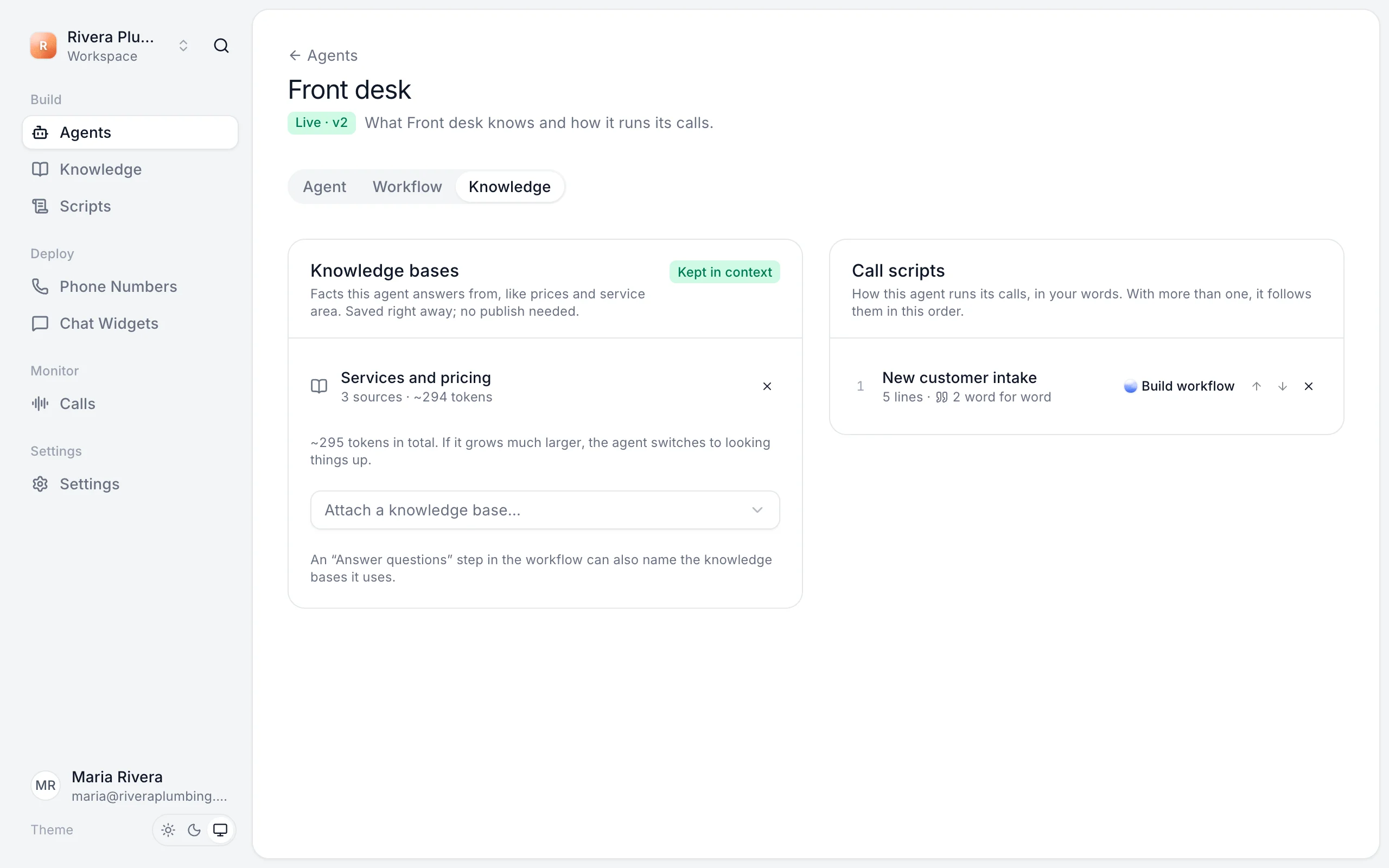
Check an answer
Use Test a question on the knowledge base page. Type something a caller might ask, like "Do you service Evanston?", and see the passages your agent would answer from. If nothing useful comes back, add the missing fact.
Keep it up to date
- Edit or remove a source from its ⋯ menu.
- When your site changes, choose Read again from a website or web page source's ⋯ menu.
- Fix wrong answers straight from a call. See Improve answers from calls.
Limits
Plans differ in how many knowledge bases you can have, how much text they store, and how many pages a website source can read (10 on Free, 25 on Starter, 50 on Pro and 100 on Agency). See Plans and pricing.
Still stuck?
Ask our support agent (it runs on Ladoo), or email the team.