Write your agent's prompt and greetings
Tell your Ladoo agent who it is and how to behave with the system prompt, set the first thing callers hear, and reuse details with variables.
The prompt is your agent's instructions: who it works for, what it should do, and how it should sound. The greeting is the first thing it says.
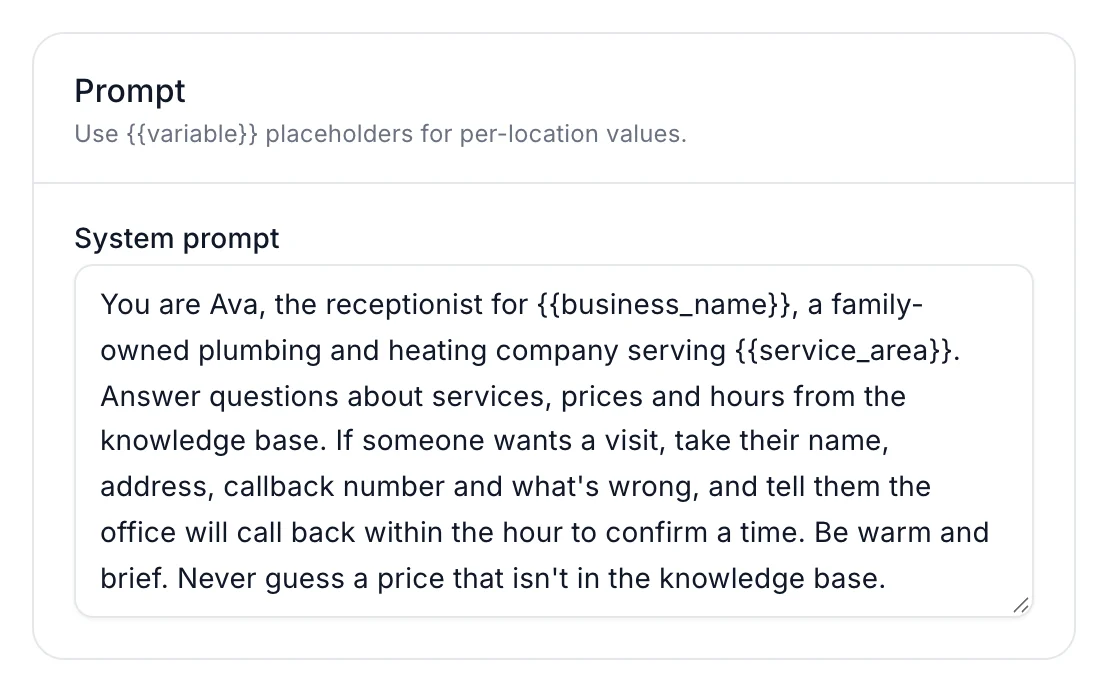
Write a good prompt
Open your agent and edit System prompt on the Agent tab. Write it like you'd brief a new hire on their first day:
- Who they are and who they work for. "You are Ava, the receptionist for Rivera Plumbing & Heating."
- What callers usually want. "Answer questions about services, prices and hours."
- What to do when they want a visit or a person. "Take their name, address, callback number and what's wrong."
- Rules. "Never guess a price that isn't in the knowledge base."
- Tone. "Be warm and brief."
Keep facts like prices and hours out of the prompt. Put them in a knowledge base, where they're easier to update. See Teach your agent about your business.
Greetings
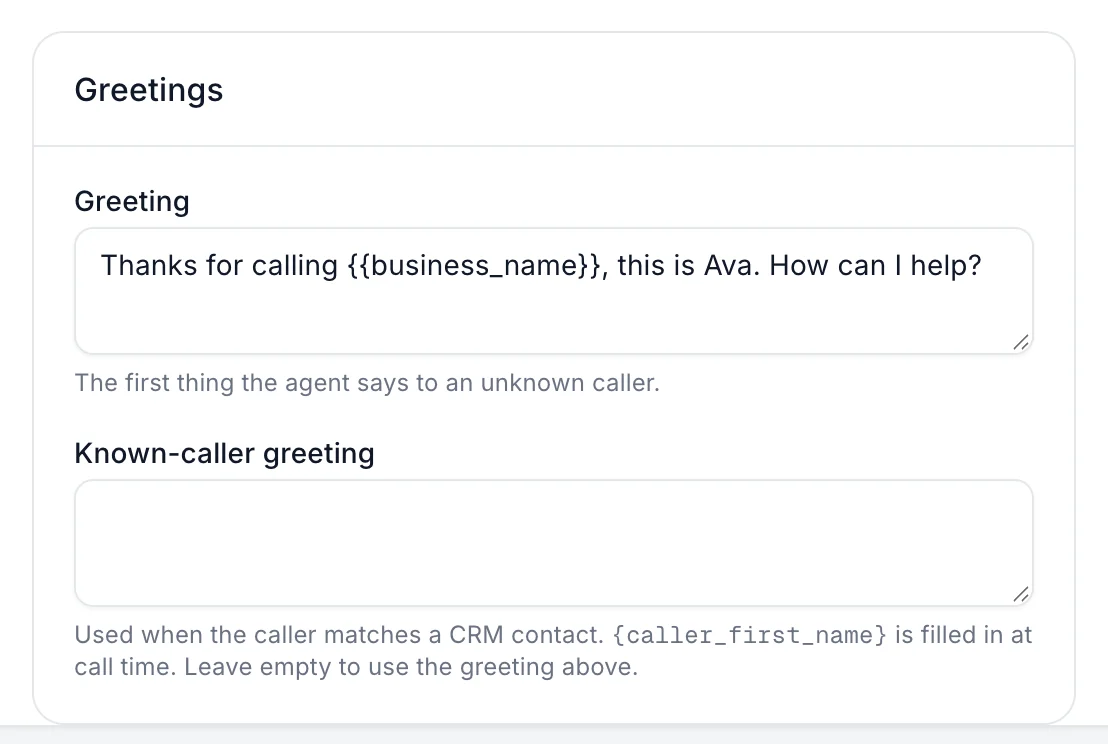
Greeting is the first thing the agent says. Keep it short and say your business name, like "Thanks for calling Rivera Plumbing, this is Ava. How can I help?"
Variables
Variables are named values, like your business name or service area, that you can drop into the prompt and greeting with double curly braces: {{business_name}}.
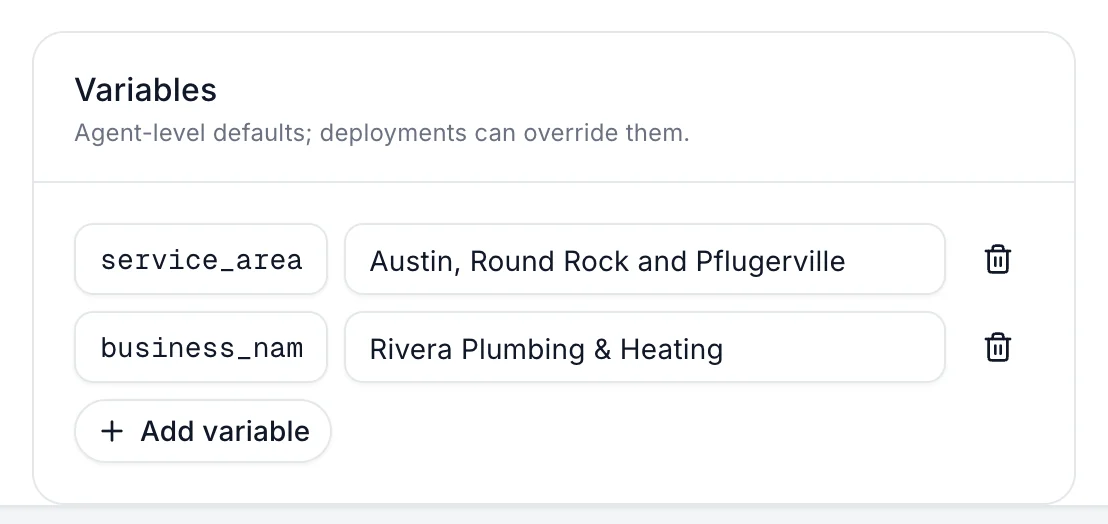
- In Variables, click Add variable.
- Enter a name, like
service_area, and its value, likeAustin, Round Rock and Pflugerville. - Use it in the prompt as
{{service_area}}.
Save your changes
Edits stay unsaved until you click Save & publish. See Publish changes and version history.
Still stuck?
Ask our support agent (it runs on Ladoo), or email the team.